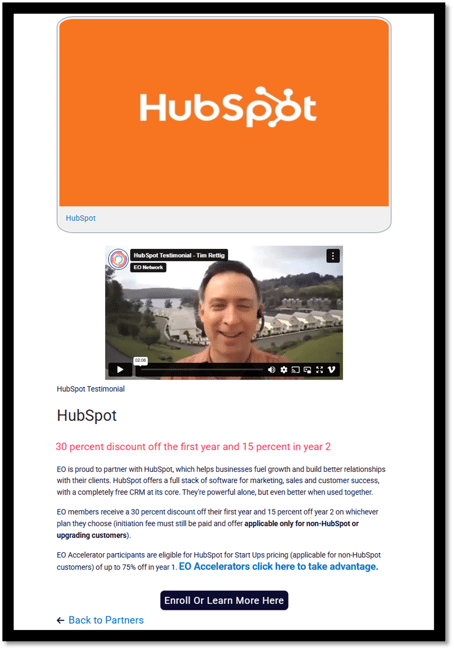
Steps to Avail Partner Services
- Log in to your EOnetwork.org account.
- Navigate to the Resources tab in the main menu. Select Partners from the drop-down menu.
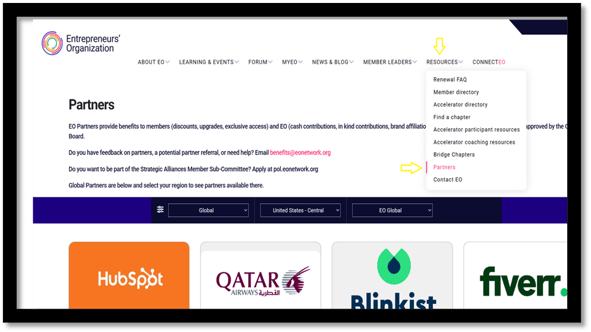
- Filter by Region and Chapter: Use the dropdown filters at the top of the page to refine results:
Global/Regional Filter: Select “Global” to view all international partners or select a specific region (e.g., US Central).
Chapter Filter: Choose a specific EO Chapter to view benefits exclusive to that chapter.
Scope Filter: Use the EO Global dropdown to explore partners by organizational scope.

- Browse Available Partners
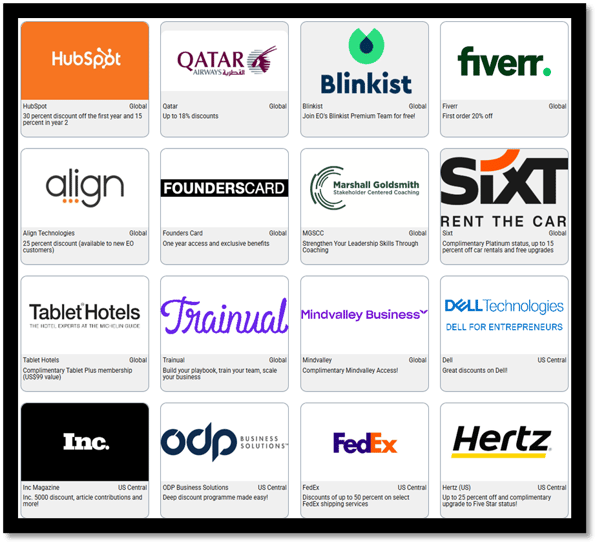
- Scroll through the partner tiles displayed in a grid format
Each tile includes:
- Scroll through the partner tiles displayed in a grid format
Partner logo
Partner name
Coverage (e.g., Global, US Central)
Benefit summary (e.g., discounts, memberships)
- Availing the Benefit
Follow the instructions on the partner detail page. This may include filling out a form, using a code, or contacting the partner directly. Ensure you're logged in with your EO member credentials to access exclusive offers. - Click on a partner profile to view detailed service information, contact details, and any exclusive EO member benefits, e.g. HubSpot.